
A chatbot for the website is one of the things we get asked for most. Before answering the latest request, we counted our own. Since July 2025 our n8n has collected 18 chatbot workflows: for websites, for Telegram and for internal knowledge bases. Four are switched on today.
Looking at the ones we know best, the problem was rarely the technology. More often nobody had settled what the bot's job was, who keeps its knowledge up to date or who puts it on the website.
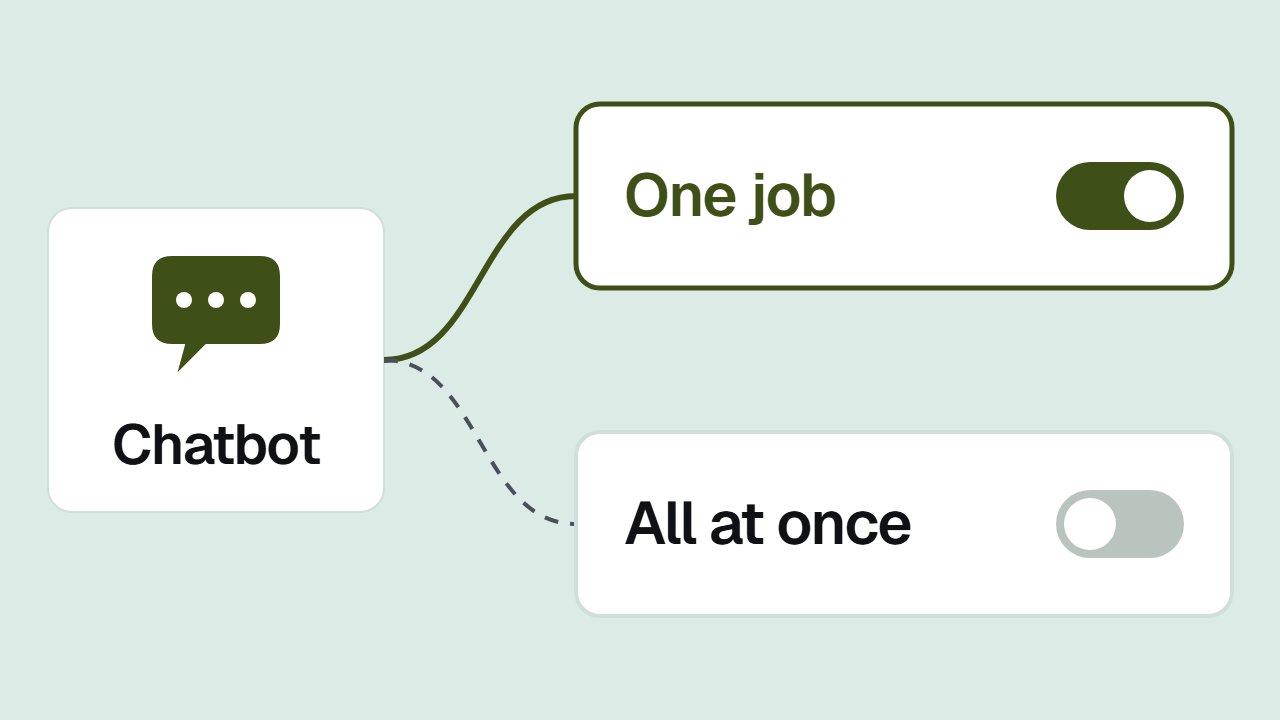
- Give the bot one job: answer questions, qualify a lead or book a meeting.
- Write down the questions your sales team needs, and have the bot ask them one at a time, in a fixed order.
- The bot that runs today is simpler than the ones before it.
- Most of the work is the knowledge base and a list of test questions.
- Before building, agree who reads the bot's conversations and who puts it on the website.
What we counted
Our n8n server holds 206 workflows. 18 of them are chatbots or parts of one. Of those, 4 are switched on, 9 are switched off and 5 are archived. What happened to all 206 is in 206 automations, 43 still running.
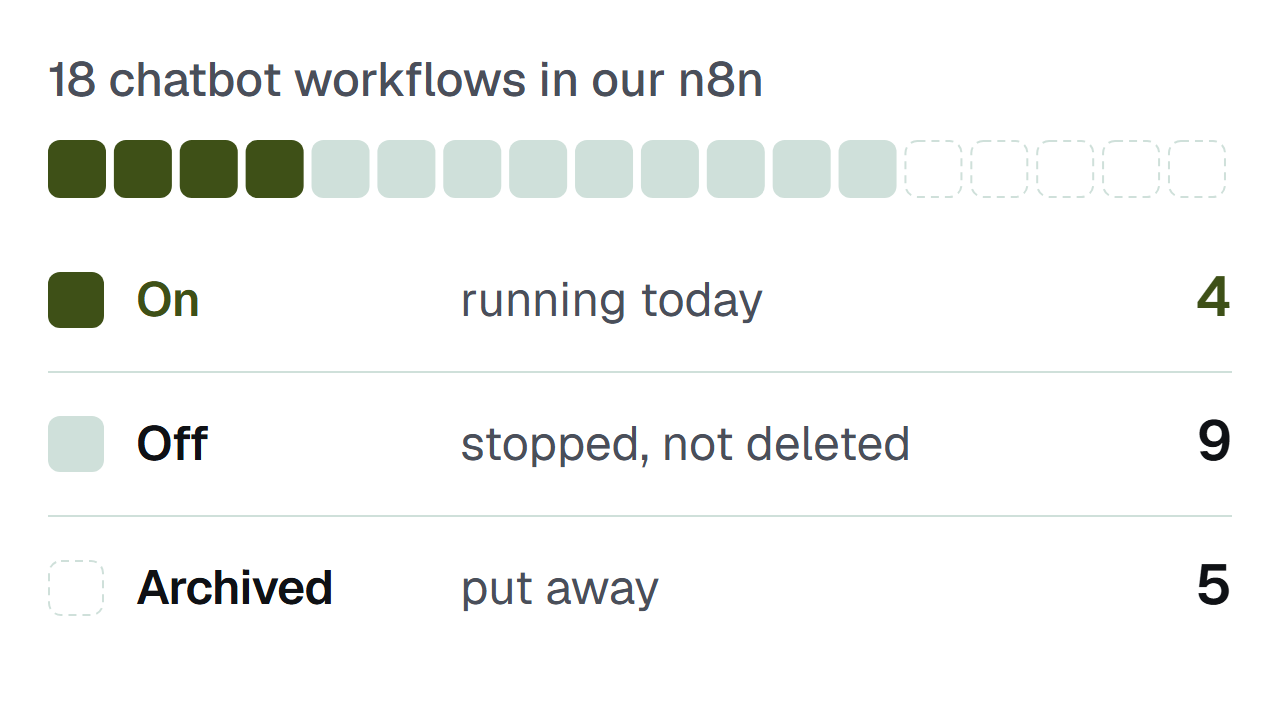
The four that run are two lead bots for an office furniture company (one on its website, one in Telegram) and two versions of an assistant in our own product, a company database, where the bot helps users put together a search. Among the ones switched off are our own website bot and several podcast and document knowledge bots.
Pick one job
You can ask a chatbot to do four different things, and each needs a different build:
- Answer questions. Opening hours, prices, locations. It needs a good knowledge base and nothing more.
- Help people use a product. In our company database, the bot works out from the user's industry which companies they might be looking for, and suggests search filters. It was built in December 2025 and is still switched on.
- Qualify a lead. Collect what sales needs for a quote and pass it on.
- Book a meeting. It needs two tools: one that reads free slots and one that creates the booking. Plus a message to the team that a booking came in.
Our own first website bot tried to do all of it at once. It knew our service catalogue, qualified the visitor and booked a call. Today it is switched off, and our website has a plain contact form in its place.
The questions a quote needs
The office furniture bot collects nine things, always in this order:
- Are you a VAT payer?
- What are you after: a new office fit-out, a renovation or specific furniture?
- Do you have a floor plan?
- What is the total area?
- How many workstations do you need?
- What style?
- Any special requirements?
- When does it need to be done?
- What is your email?
At the end the bot shows a summary and asks the person to confirm it. Each question is on the list because without the answer, sales can't put a quote together. When the client reviewed the first version, two floor plan questions were merged into one, and the greeting and the language choice became a single line.
The bot asks one question at a time. If someone answers several at once, it stores all of them and moves on to the next unanswered one. It picks the language from the first message (Latvian, Russian or English) and keeps it for the whole conversation. In Latvia that matters: in the first version, people had to pick a language with a button, which was one more step before the first real question.
The simpler version won
This one bot's history shows how chatbots grow complicated and then simple again.
The first version was a button script in a WhatsApp tool: every step written in advance, a button for every answer. The second was an AI agent with a separate table that held the state of each conversation, and a strict answer format. On the website it had 15 steps, and we saved it 35 times. Then came two "fixed" copies, and both are now in the archive.
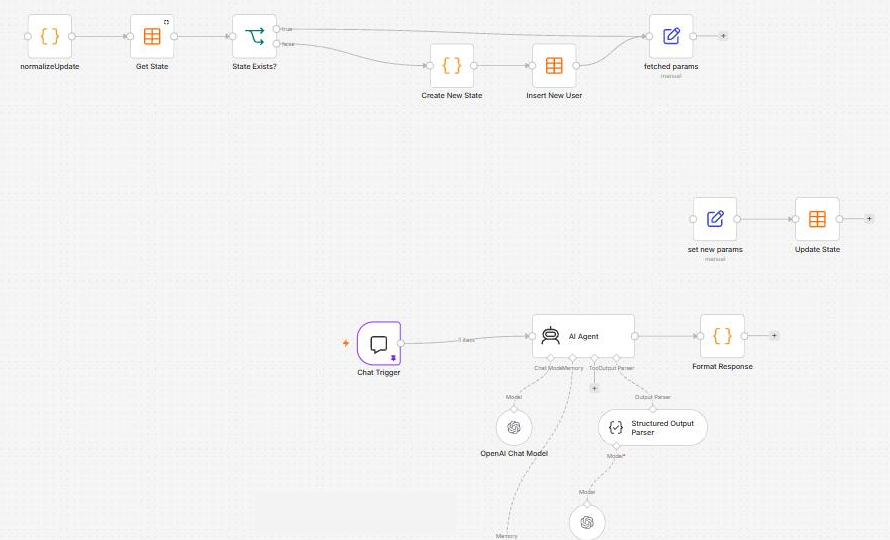
The website version that runs today has 6 steps: one AI agent, a short conversation memory and an instruction that holds the order of the questions and the rules. The work the state table did is now done by the instruction. The Telegram version still runs on the state table.
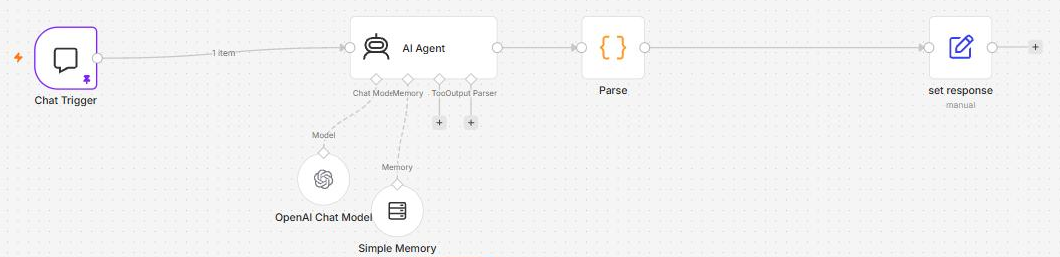
If someone offers you a chatbot with a complicated diagram, ask why it can't be done with a well-written instruction.
The knowledge base and the test questions are most of the work
For an entertainment park's bot, all the knowledge sits in one Google Doc that the client keeps up to date: the parks, the activities, contacts, opening hours. The bot answers from it.
Before handing the bot over, we tested it with a fixed list of questions. A test workflow asks the bot every question in turn and writes the answers into a sheet, and a person reads them. If an answer is wrong, fix the knowledge base and run the test again.
Before the bot goes on the website, agree on three roles: who puts the bot's code on the page, who reads the conversations and who updates the knowledge base when prices or opening hours change.
Before you order a chatbot: five questions
- What is the bot's one job? If the answer is "everything", start with a contact form.
- Which questions does your sales team need answered? Write them down in order before anyone starts building.
- Where does the knowledge live, and who updates it? One document, one owner.
- Which 10 to 20 questions will you test the bot with? Take them from real customer emails and calls.
- Who puts the bot on the website, and who reads the conversations? Without that person the bot stays in testing.
If you have no answer to the first two, a chatbot is probably the wrong tool. A good contact form often collects the same thing.
FAQ
Can a chatbot book meetings? Yes, if it has access to your calendar. It needs two tools: one that reads free slots and one that creates the booking. A message to the team for each new booking helps too.
Which languages can a chatbot speak? Our office furniture bot speaks Latvian, English and Russian. It picks the language from the first message and doesn't switch.
Does a chatbot need n8n? No. We use it because it makes it easy to connect the bot to a calendar, a CRM and the team chat. For a simple question-answering bot, a ready-made tool on your website platform is enough.
If you'd like us to look at whether your website needs a chatbot at all, and what kind, book a free 30-minute call.