
We have worked with n8n for more than two years, for our own processes and for clients. Since May 2025 our current server has collected 206 workflows: client processes, our own tools, tests, and ideas that stayed ideas. On 20 November 2026, 43 were switched on. The other 85 were switched off and 78 were archived.
These 43 are what held up in daily work. We sorted all 206 by three things: what each one does, how it starts and who it is for. The automations that survive start by themselves, and someone uses them every day.
- After more than two years with n8n, 43 of our 206 workflows are switched on, which is 21%. 48 were tests and drafts.
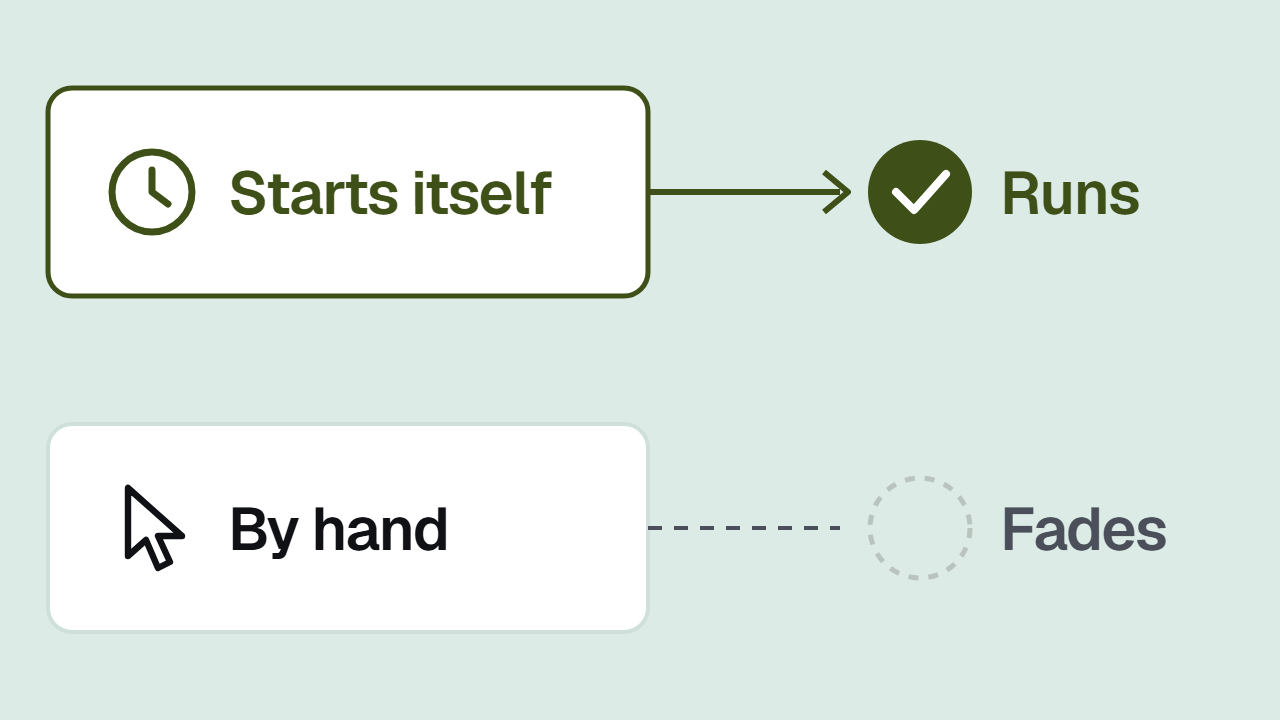
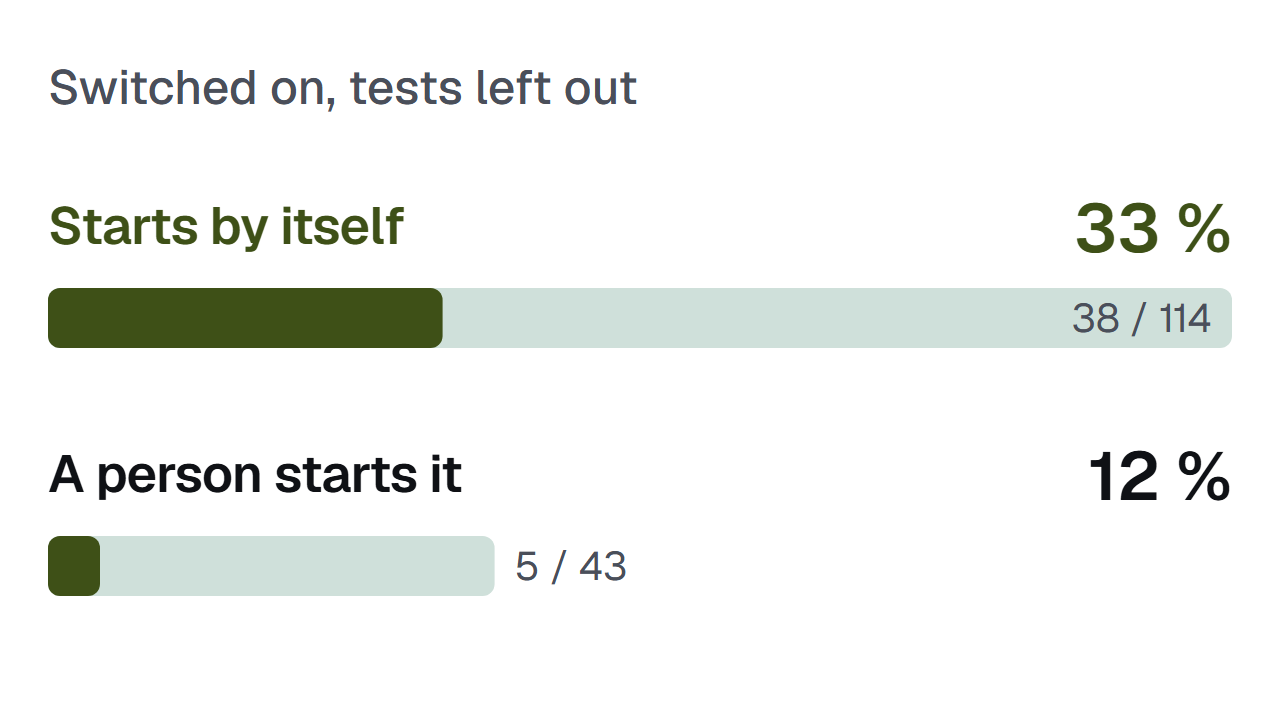
- Automations that start by themselves are switched on almost three times as often as ones a person has to start: 33% against 12%.
- Of the workflows behind our own product, 73% are switched on. Of client workflows, 18%.
- Half of the ones switched off were last edited within two weeks of being created.
- None of the 11 content automations is switched on.
What we counted
We split all 206 workflows into eight types by what they do. We judged the type from the workflow's steps, used the name only as a hint, and sorted 18 unclear ones by hand.
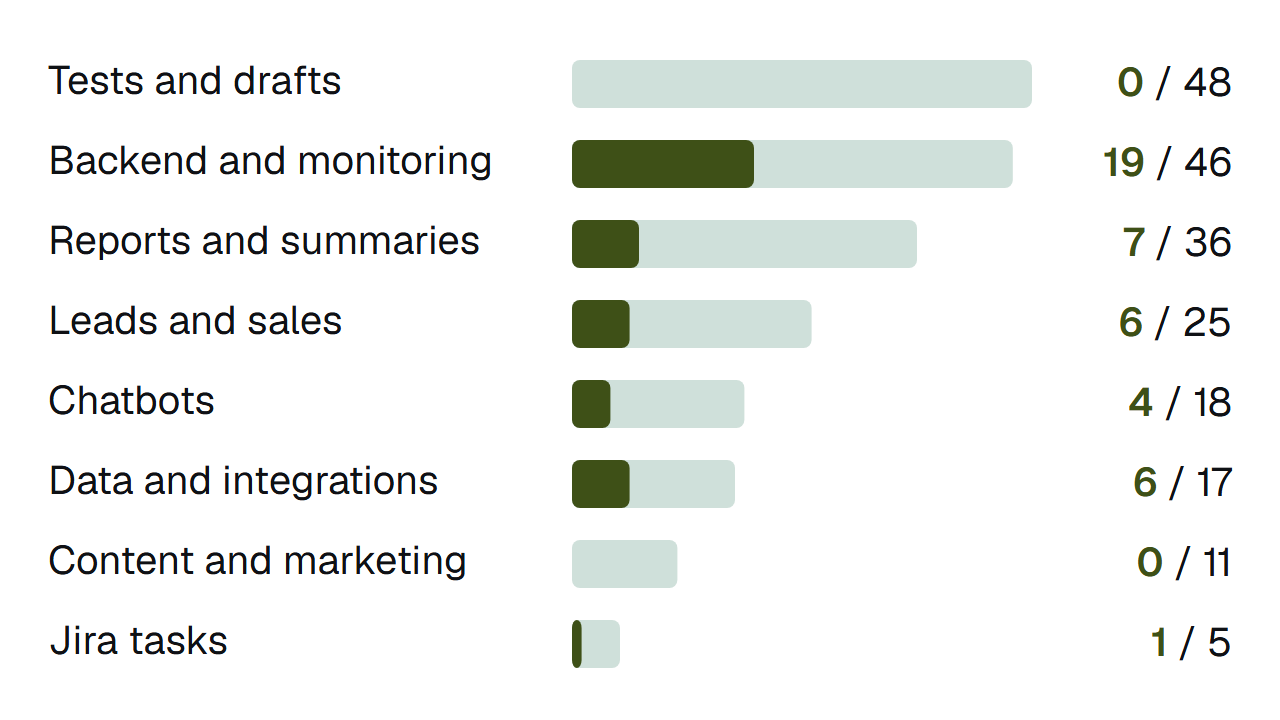
The numbers by type:
- Tests and drafts: 48, none switched on.
- Backend and monitoring (APIs, sign-in, error alerts): 46, 19 switched on.
- Reports and summaries: 36, 7 switched on.
- Leads and sales: 25, 6 switched on.
- Chatbots: 18, 4 switched on. What we learned from them is in A chatbot for your website.
- Data and integrations: 17, 6 switched on.
- Content and marketing: 11, none switched on.
- Jira tasks: 5, 1 switched on.
What starts by itself survives
For each workflow we looked at the first step. Some start by themselves: on a schedule, when an email arrives, when someone fills in a form on the website. Others are tools a person starts by hand, for example by uploading a file to a form and waiting for the result.
Leaving tests out, 38 of the 114 that start by themselves are switched on, which is 33%. Of the 43 tools a person has to start, 5 are switched on, which is 12%.
The clearest example is meeting and call recordings. We have 16 workflows that transcribe recordings or summarise meetings and calls. One is switched on. In more than half of them, someone had to upload the recording to a form, and that is a step someone has to remember every single time.
Leads are the opposite. All six lead workflows that are switched on start by themselves: leads from TikTok ads land in a sheet, public tenders land in a task list, website forms get passed on. Nobody starts them. They just run, and someone at the other end uses what they bring in every day.
What someone uses every day survives
We also sorted the workflows by who they are for: a client, ourselves, or our own product, a company database.
| For whom | Total | Switched on | Share |
|---|---|---|---|
| Our product | 15 | 11 | 73% |
| Clients | 109 | 20 | 18% |
| Internal | 82 | 12 | 15% |
Every user of the product goes through its workflows (sign-in, payments, the search log), and if something breaks, we notice it ourselves. Internal tools are the opposite case: many were made to try something out, and none of them was anyone's daily work.
The client figure is lower than you might expect, but it doesn't mean 89 client automations failed. Some were one-off jobs, and some belonged to projects that ended. The data can't tell these apart; more on that under the limits.
Most disappear in the first two weeks
Of the 115 workflows that are neither tests nor switched on, half were last edited within 14 days of being created. 50 of them were last edited in their first week.
So the decision usually comes very early. If nobody starts using an automation in its first two weeks, it will most likely never be opened again. The workflows that are switched on, on the other hand, are old: half of them were created more than a year ago.
We build fewer and keep more
In 2025 we created 173 workflows, and 31 of them are switched on today, 18%. In 2026 we created 33, and 12 are switched on, 36%. We built the most in summer 2025: 92 workflows from June to August.
Part of that gap is age: newer workflows have had less time to be switched off. So we read it as a direction, not as proof.
Content: none of 11
Content automations have the worst record: none of the 11 is switched on. They include three versions of a flow that turns an email newsletter into a Facebook post, two systems that generate SEO articles, and a tool that pulls quotes out of podcast episodes.
The data doesn't show why. Our reading: text that goes out in the company's name gets read and rewritten by a person anyway, and if that has to happen every time, the automation saves little.
Before you automate: four questions
- What will start it? If the answer is "a person, by hand", think about whether an event can start it instead: an email, a form, a schedule.
- Who will use the result every day? Name the person. If there isn't one, the automation will most likely disappear.
- What happens if it stops? If nobody would notice for a week, it isn't important, or it needs an error alert.
- What will you do after two weeks? Agree on a day to check whether it is used, and switch it off if it isn't.
Limits
- "Switched off" doesn't mean "failed". Some workflows were one-off jobs that did their work, or belonged to client projects that ended. The data can't tell these apart.
- Newer workflows have had less time. That makes the 2026 figure look better than it is.
- "Switched on" doesn't mean "used". The server deletes its run history, so we can't say how often each workflow ran.
- The types are our own split. Borderline cases, such as personal AI assistants, could go into either of two types.
- This is one server. Some clients run their workflows on their own n8n, and those aren't counted here.
FAQ
How many automations usually survive? On our server, 21% of all of them, and 27% if you leave out tests and drafts.
Which automations survive most often? The ones that start by themselves and whose result someone uses every day: lead routing, product backends, error alerts.
Why do automations stop being used? The most common pattern in our data: the tool has to be started by hand, and nobody does it every day. Half of the ones switched off were last edited within two weeks of being created.
Is n8n to blame? No. The 43 that work run on the same server. The difference is whether the automation has a daily user.
If you'd like us to look at which of your processes is worth automating and who would use it every day, book a free 30-minute call.