
In many companies an accountant opens hundreds of PDF invoices every month and types them into the accounting software: supplier, date, amount, VAT, account. It is slow work, and the mistakes come exactly when there are the most invoices.
This work can be automated. Invoice automation is six steps, and the hardest one is usually the import into the accounting software. Here is each step, what you have to decide in it and where it usually breaks. At the end, the same for Shopify orders that need an invoice.
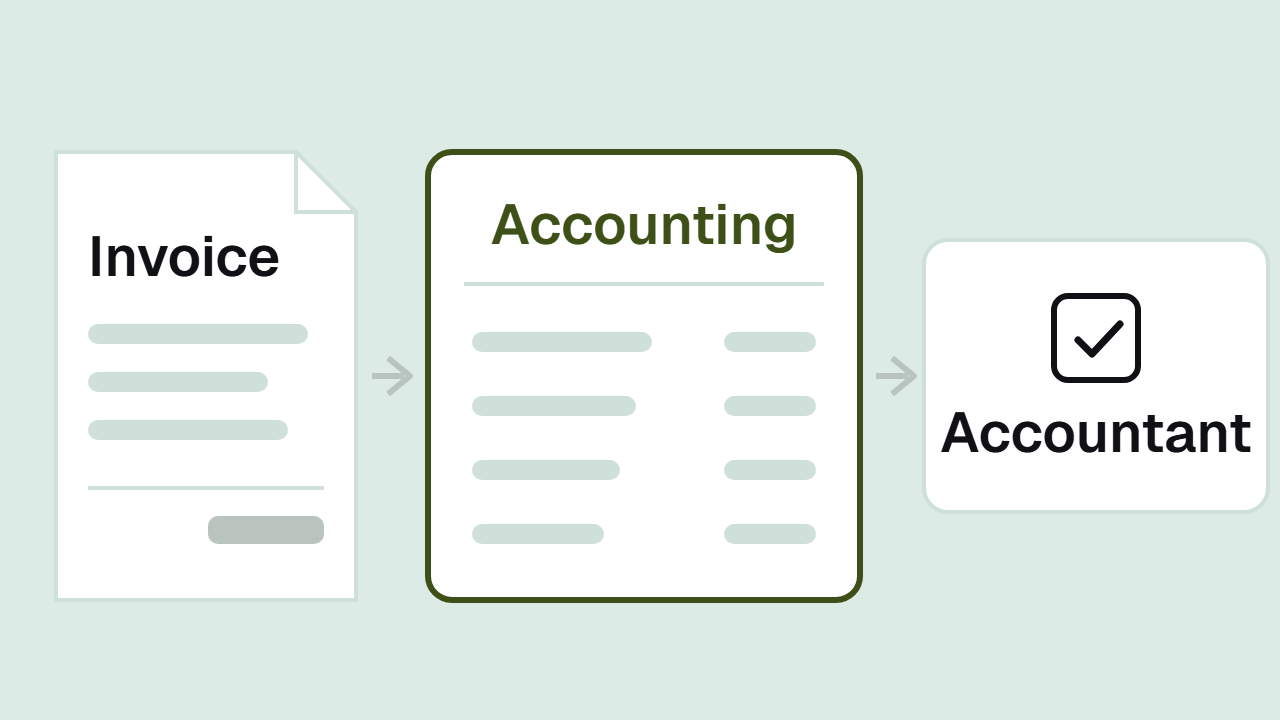
- Invoice automation is six steps: receive, read, check, match, import and a person's check.
- Almost any AI model can read a PDF invoice today. The hard part is the import into the accounting software.
- Start with the import: before you automate anything else, check that 20 real invoices go into your software without errors.
- From 1 January 2028, invoices between Latvian companies must be e-invoices. Reading gets easier, the import matters even more.
- Keep the person's check. The automation prepares, the accountant approves.
- Invoices can be raised from Shopify orders automatically, as long as prices, customers and payment terms are written down somewhere.
Six steps from the inbox to the books
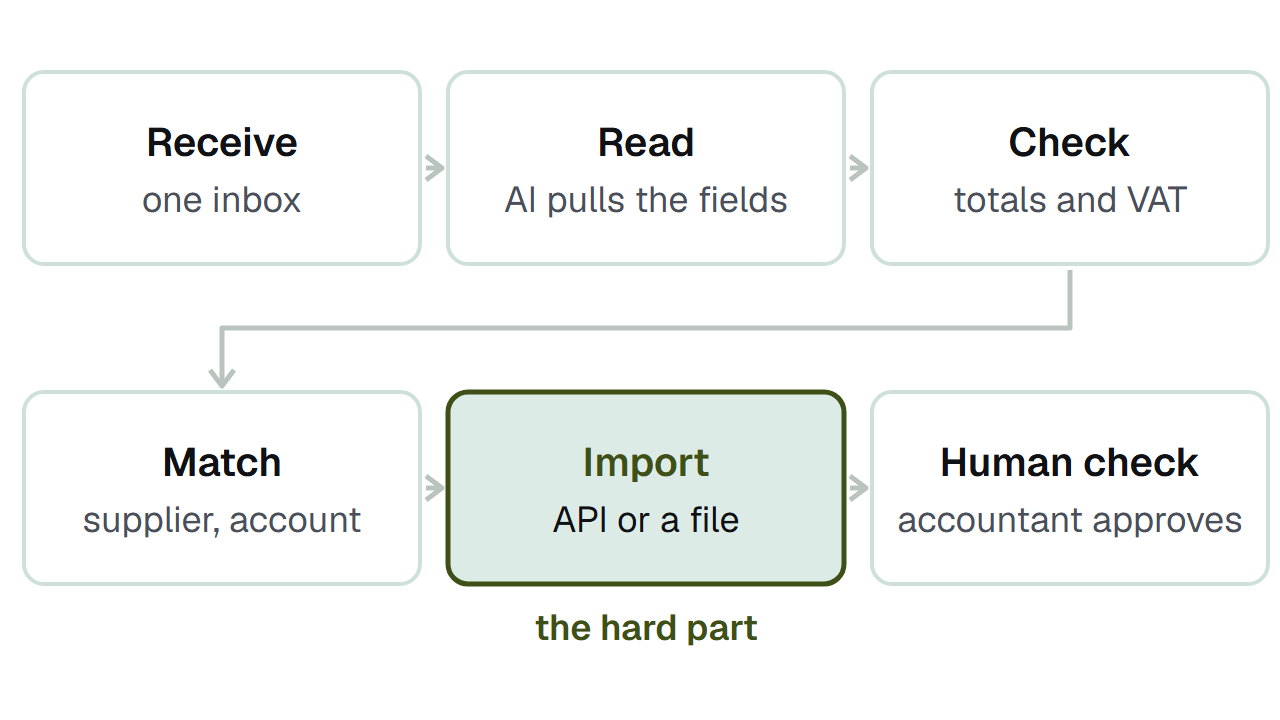
- Receive. Invoices arrive in one place, usually a separate inbox such as invoices@. The automation takes each attachment and drops what is not an invoice: newsletters, reminders, cover letters.
- Read. It pulls the fields from the PDF or image: the supplier and its registration number, the invoice number, the date, the due date, the amount before VAT, the VAT and the total, and the invoice lines if you need them.
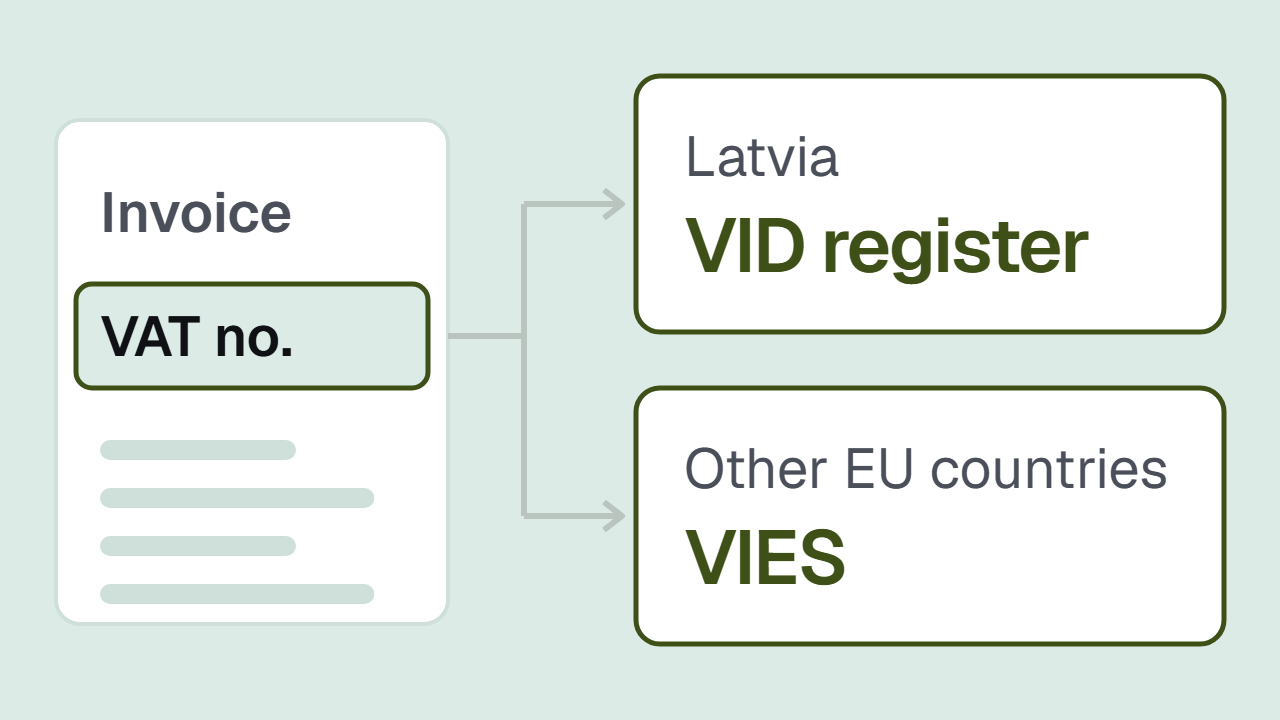
- Check. Do the amounts add up, is the VAT right, does the invoice carry every detail the VAT law requires, has it been entered already, is the supplier known.
- Match. The invoice is matched to the supplier in the accounting software, to the order if there is one, and to an account or cost line.
- Import. The invoice goes into the accounting software: through an API, with an import file, or, if the software takes neither, prepared so the accountant only has to approve it.
- Human check. The accountant sees what was entered and what was flagged as doubtful, and approves.
AI can read invoices now
A few years ago, reading invoices needed a template for every supplier: where on the page the amount is, where the date is. Today an AI model reads an invoice it has never seen before and returns the fields in whatever form you ask for.
Mistakes remain, but they are predictable: a poor scan, an invoice with several VAT rates, a credit note that looks like an ordinary invoice. That is why a check always follows the reading: if the total does not match the sum of the lines, the automation does not enter the invoice and flags it for a person.
The hard part is the import
Accounting software varies a lot in what it accepts from outside. Some have an API you can enter an invoice through directly. Others take an import file in a set format, such as XML or Excel. Some take nothing, and then the automation can only prepare the data.
In our experience, even when there is an import, the first attempts almost always come back with errors: the supplier's code in the software is not the one on the invoice, the VAT rate has to be given as the software's code rather than a percentage, the account is missing, the currency or the rounding does not fit. Every test round finds the next one.
So our advice is to start from the end. Take 20 real invoices from last month and check whether your software takes them through the import without errors. If it does, the rest is fairly simple. If it does not, you find out in the first week.
One more thing to know before you start: if the company plans to change its accounting software, build the automation after the change. The import is the part you would have to rebuild.
From 2028, invoices arrive as e-invoices
From 1 January 2028, an invoice a company issues to another company registered in Latvia must be a structured e-invoice: an XML file following the European standard EN 16931. The Latvian Accounting Law requires it. The rule was first due in 2026 and was postponed in June 2025. For invoices to state and municipal budget institutions it has applied since 2025.
For invoice automation this changes two things. Invoices from Latvian suppliers will no longer need reading from a PDF, because every field is already in the file. The import, on the other hand, matters even more: the accounting software has to accept e-invoices, and you agree with suppliers on the route they come by, such as the state e-address or an e-invoice operator.
Reading PDFs will not go away, though. Invoices from foreign suppliers and receipts will still arrive as PDFs or images after 2028. If you build now, build so both routes, the PDF and the e-invoice, lead to the same check and the same import.
A person stays in the process
The temptation is to let the automation enter invoices on its own and drop the check once the first weeks have gone well. We do not recommend it. An invoice entered wrongly carries its mistake into the VAT return and the payments, and it is found later, when it costs more to fix.
It works better like this: the automation enters or prepares everything, and the accountant sees one list in three groups. What passed every check and only needs approval. What was flagged as doubtful, and why. And what could not be read at all. The work turns from typing into checking.
That is also why automations like this stay in use. An arriving invoice starts the automation by itself, and the accountant uses it every day. Those are the automations that last longest for us, and we wrote more about it in 206 automations, 43 running.
The second case: invoices from Shopify orders
The other common job runs the other way: issuing an invoice. In a Shopify store, business customers often order the same way private buyers do, but they need an invoice with company details, different prices and payment by bank transfer.
Done by hand, someone opens each order, recalculates the prices and issues the invoice separately. An automation can take the order from Shopify, find the customer, apply their prices and create the invoice. But only if that information exists somewhere:
- A customer list. Which buyers are companies, and with what details. One company often orders from several addresses, such as office@ and info@, so the customer is recognised by the company, not by the email.
- Prices. If business prices differ from the store's prices, they need to be in a table or in Shopify itself. If they live only in an employee's head, write them down first.
- Payment terms and an invoice template. The due date, bank details, what the invoice has to show.
- Where the invoice is made. Shopify itself only makes PDF invoices. From 2028 an invoice to a Latvian company has to be an e-invoice, so it is better made in the accounting software or an invoicing tool that handles e-invoices.
- Access. The Shopify access key has to allow not only reading orders but also changing them, if the automation needs to mark an order as paid or convert it.
Often the biggest piece of work is that list. Once it exists, an invoice from an order is one of the simplest processes to automate.
What to prepare before you start
- One place for invoices: a separate inbox that suppliers send invoices to.
- Last month's invoices: 20 to 50 real ones for testing, with all the odd cases.
- An answer about the import: what your accounting software accepts from outside, and whether it is staying.
- Account mapping: which account goes with which supplier or cost type.
- A person who checks: usually the accountant who has been typing the invoices in.
How we set this up for your company is described on the Invoice processing page.
Frequently asked questions
Can AI read any invoice? Almost any clear PDF or image, including from a supplier it has never seen. Poor scans, handwriting and invoices with several VAT rates cause trouble, so a check should always follow the reading.
Which accounting software works for automation? Any that accepts data from outside, through an API or an import file. Before you start, test the import with real invoices.
What changes with e-invoices in 2028? From 1 January 2028, invoices between companies registered in Latvia must be structured e-invoices (XML following EN 16931). They need no reading from a PDF, but the accounting software has to accept them.
Will the accountant no longer need to check invoices? They will, but faster. The automation enters and checks, the accountant approves and looks only at the flagged cases.
Can invoices from Shopify be issued automatically? Yes, if it is written down which buyers are companies, what their prices and payment terms are, and the Shopify access allows it.