
If your company sells to the state or municipalities, a new tender is a new client. It has to be spotted in time, read, and decided on. Usually someone goes through the tender lists every morning, and one busy week is enough for a good tender to slip past.
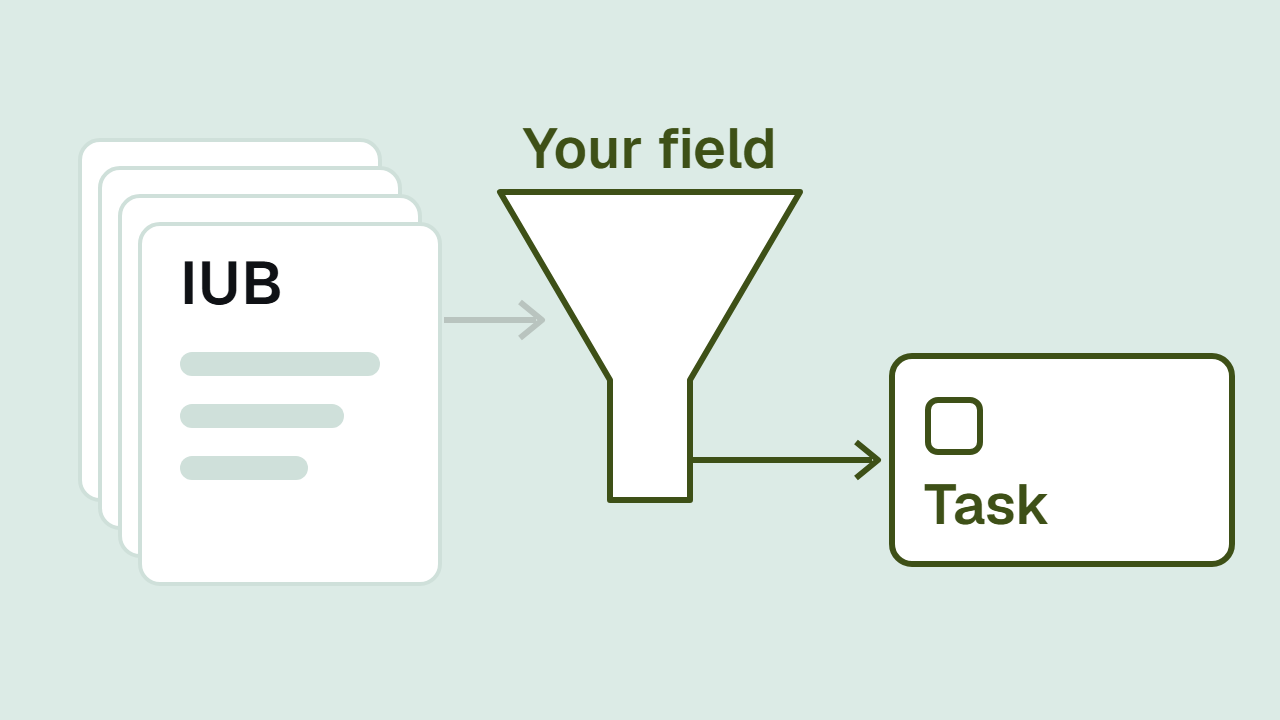
Since May 2025, an automation has done this work for a property management company. Every night it reads the new tender notices, keeps the ones that fit the company's work, and puts each of them in the team's task list. In the morning the team sees only its own tenders.
- Latvia's Procurement Monitoring Bureau (IUB) publishes its notices every day as open data, with no registration.
- The automation takes the last four days of notices every night and keeps only competitions in your field.
- Most of the work is the filter: a short set of keywords to look for, and a longer list of what to exclude.
- Every tender it picks becomes a task with the contracting authority, contract value, place of performance and submission deadline.
- Law changes in your industry can land in the same list.
Where the data comes from
IUB publishes tender notices every day as JSON files that anyone can open without signing in. They hold everything a decision needs: the tender's name, the contracting authority, the estimated contract value, the place of performance, the publication date and the submission deadline.
That means nobody has to read web pages and copy text. The data is already structured, and it can be filtered like a spreadsheet.
How it works
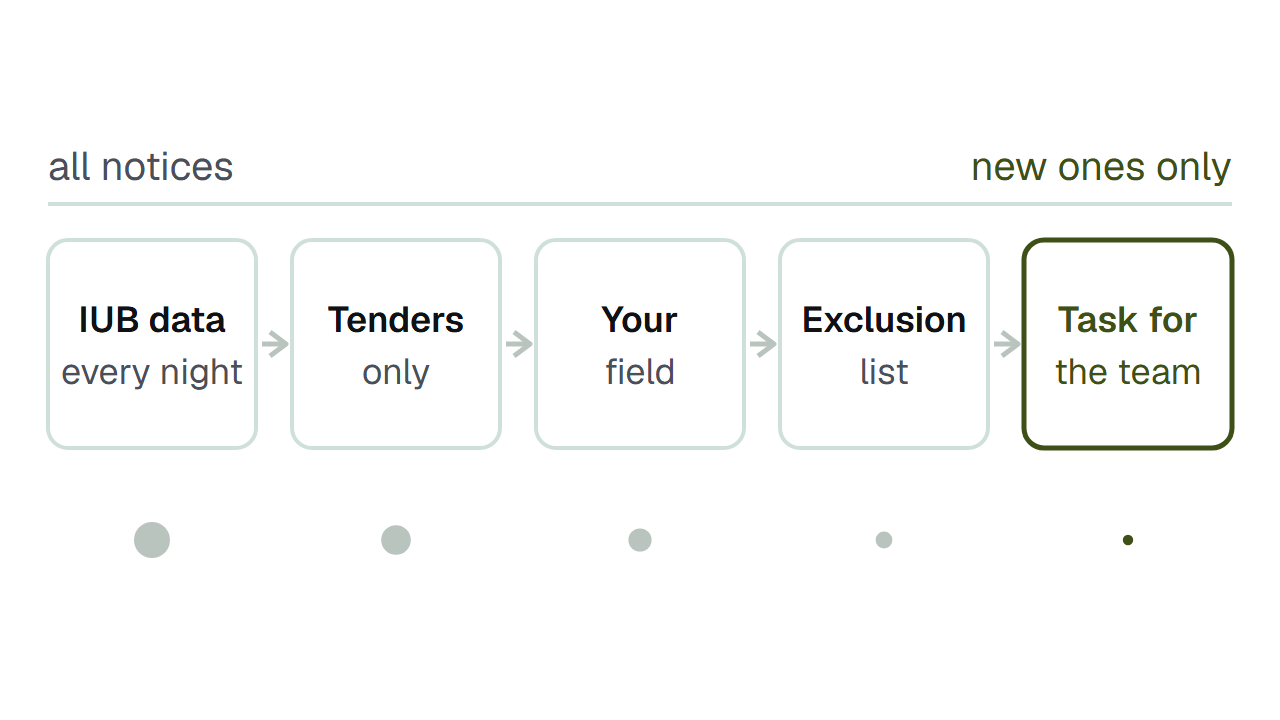
Every night at 05:00 Riga time, the automation does five things:
- Takes the last four days of notices. Four days rather than one, so nothing is lost if a notice is published late or over a weekend.
- Keeps only competitions. Contract award and modification notices are no use to sales.
- Keeps tenders in your field. The name has to contain one of the company's work words. For a property manager they are management, upkeep, mowing, cleaning and maintenance.
- Drops what only looks similar. "Maintenance" also appears in road maintenance and IT system maintenance. That is what the exclusion list is for.
- Creates a task for new ones only. Tenders already in the list aren't added again. Each new one becomes a task in Jira with a link, the contracting authority, contract value, place of performance, publication date and submission deadline.
In the morning the team opens the task list, reads the new tenders, and decides on each one: bid or skip.
The filter is most of the work
The keyword set is short: five word stems that the company's kinds of work start with. Stems rather than whole words, because in Latvian "pļaušana", "pļaušanas" and "pļaušanai" are all the same job, mowing.
The exclusion list is longer. Right now it holds 80 words and phrases: road and street maintenance, waste management, IT systems, building repairs, forestry, and a few towns where the company doesn't work. Each one is there because a tender like that once landed in the list and wasn't wanted.
So the filter doesn't have to be perfect on day one. Start with a broad keyword set, and in the first weeks note which tenders the team throws out. Those become your exclusion list.
The other way is to filter by the CPV codes the contracting authority gives each tender, for example 45 for construction work and 71 for engineering services. Codes are more precise than words, but only if the authority picked them correctly. You can also combine the two.
Why a task list, not email
Tenders could be sent by email, but in an inbox they get lost among other messages. In a task list, every tender has a status, an owner and a deadline, and you can see what has been reviewed and what is still waiting.
We put them in Jira because the company was already working there. The same works with any tool that has an API: Trello, Asana, Monday or a CRM.
This is one of the automations that has lasted longer than most. All of our lead automations that are still switched on start by themselves, and we wrote more about that in 206 automations, 43 still running.
Law changes in the same list
The same company has a second, smaller automation. Every Monday morning it searches the latest news on the LV portāls legal news site for industry terms such as "residential building management", "management fee" and "debt recovery". Each new article lands in the same task list as a separate task type.
That way the tenders and the law changes that affect the work are in one place, and nobody has to check either by hand.
What you need to build it
- Keywords: the words your kinds of work start with in tender names.
- A first exclusion list: what looks similar but isn't your work.
- A task tool your team already works in.
- Someone who reviews the new tasks every morning. The automation finds the tenders; a person makes the decision.
How we set it up for your company is on the Public tenders page.
FAQ
Where does the tender data come from? From the Procurement Monitoring Bureau's open data. Notices are published every day in JSON and are available without registration.
How often does the automation check for new tenders? In our case once a night, and each time it looks back over the last four days.
Can it filter by CPV code too? Yes. Codes are more precise than keywords when the authority has set them correctly. Often the best result comes from combining both.
Do the tasks have to be in Jira? No. Any task or CRM tool your team already uses and that has an API will do.
If you'd like us to look at how to pick out the tenders in your industry automatically, book a free 30-minute call.